
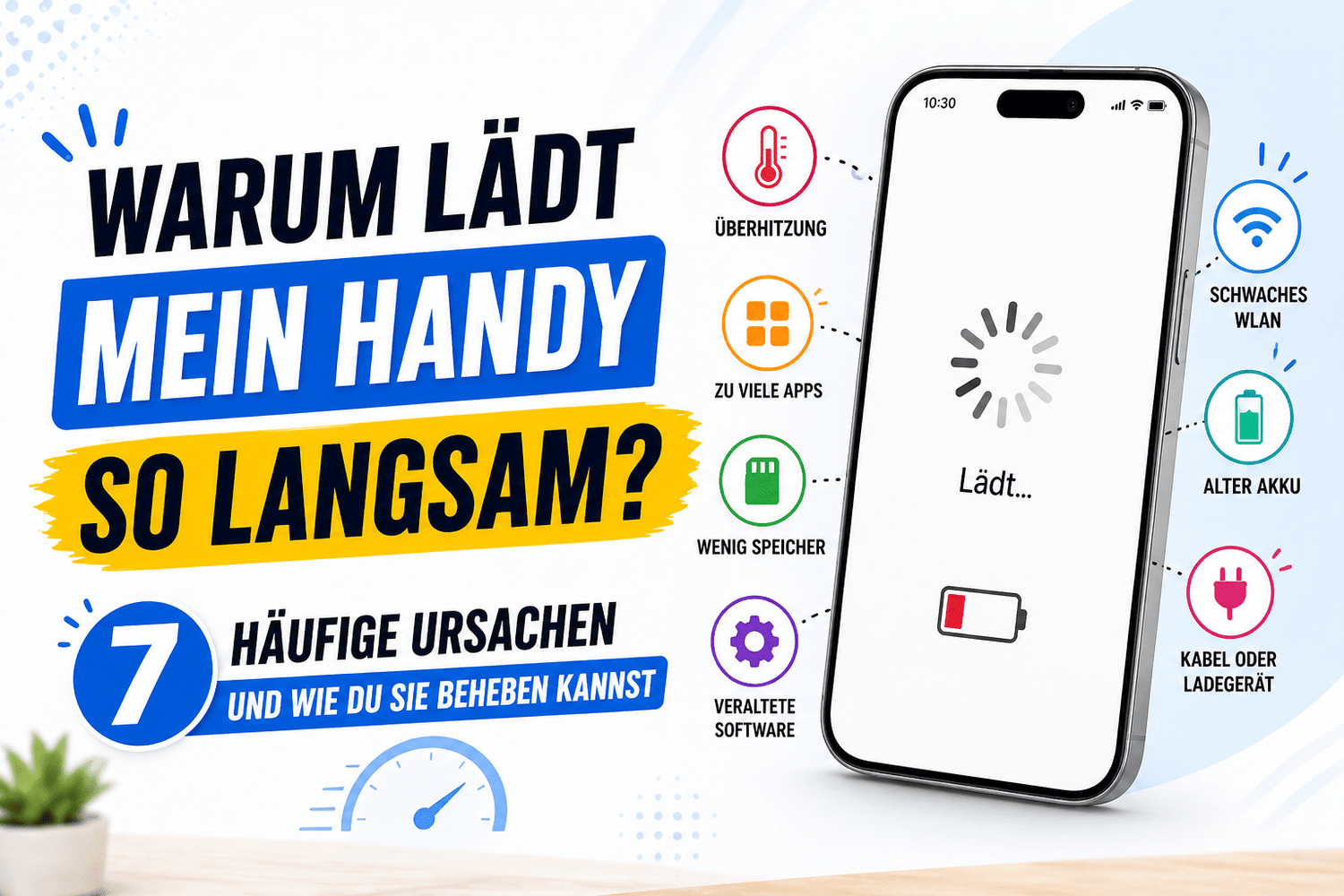
A phone that charges slowly can be really annoying. You plug it in, expecting a quick boost of power, but instead the battery level rises very slowly. Many users in Germany are familiar with this problem.
It doesn’t matter if you’re using a USB-C cable. Or a Lightning cable. Or a classic USB adapter.
The good news is simple. Slow charging doesn’t happen for no reason. In most cases, there’s a clear cause, and the solution is often straightforward.
Let’s take a look at the most common reasons and how you can fix them quickly.
1. Poor-quality or damaged cables
The cable plays a bigger role than many people realize. Not every USB cable is equally good.
If you use a cheap or damaged charging cable, it can’t transmit power properly. This causes your phone to charge significantly slower.
Signs of a defective cable
- Charging starts and stops constantly
- The cable is loose in the port
- The charging speed fluctuates
Cheap cables often have poor internal wiring. Even if they look good on the outside, they can slow down charging.
Solution
Use a high-quality cable that’s compatible with your device:
- For Android devices, a good USB-C cable is recommended
- For Apple devices, you should use an Apple Lightning cable or a USB-C to Lightning cable
An original iPhone charging cable ensures consistent performance and protects your battery in the long run.
2. Weak or incompatible adapter
It’s not just the cable that matters. The USB adapter also affects charging speed.
If you’re using an old USB-A adapter, it often doesn’t support fast charging. Modern smartphones need more power.
What happens with a weak adapter
- Charging takes a very long time
- The battery barely charges
- The phone may heat up
Solution
Switch to a more powerful USB adapter with fast charging. Look for:
- Higher wattage
- Compatibility with your device
- Support for modern charging technologies
A USB-C cable with a fast adapter delivers significantly better results than an old USB-A port.
3. Dirty charging port
This is a very common but often overlooked reason.
Dust and lint accumulate in the charging port. Even small particles can prevent your cable from fitting properly.
Signs of dirt in the port
- The cable doesn’t click into place properly
- Charging only works in certain positions
- Charging speed is inconsistent
Solution
- Turn off your phone
- Use a wooden toothpick or a soft brush
- Carefully remove the dirt
Do not use metal objects, as these can damage the port.
4. Apps running in the background drain battery life
Sometimes your phone charges correctly, but battery power is still being consumed.
Apps running in the background drain the battery, even when the device is plugged in.
Common causes
- Social media apps
- Streaming services
- GPS and location services
- Games running in the background
Solution
- Close unnecessary apps
- Enable power-saving mode
- Disable background activities
This allows your phone to focus entirely on charging.
5. Using the phone while charging
Many people use their phone while it’s charging. This significantly slows down the process.
If you watch videos or play games, your device consumes energy while it’s charging.
Consequences
- Very slow charging
- Higher temperature
- Stress on the battery
Solution
Set your phone aside while it’s charging. Just 20 to 30 minutes without use can greatly improve the charging process.
6. Battery has aged
Batteries lose performance over time. This is normal.
After about two years, the battery may charge more slowly and store less energy.
Signs of a weak battery
- Rapid battery drain
- Longer charging times
- Unexpected shutdowns
Solution
- Check the battery health in Settings
- Replace the battery if necessary
- Use high-quality cables such as an original iPhone charging cable
A new battery can significantly improve performance.
7. Software or settings
Sometimes the problem isn’t with the hardware, but with the software.
Updates or settings can affect charging speed.
Possible reasons
- Outdated software
- Charging optimization enabled
- System error
Many devices limit charging speed to protect the battery.
Solution
- Update your device
- Restart it
- Check the charging settings
Bonus Tips for Faster Charging
With these simple tricks, you can charge your phone faster:
Use the right combination
Use a good USB adapter along with a compatible USB-C cable or Lightning cable
Watch the temperature
Heat slows down charging. Keep your device cool.
Enable Airplane Mode
This reduces power consumption and speeds up charging.
Use a wall outlet instead of a laptop
A laptop with a USB-A port often charges slower than a wall outlet.
Quick checklist
If your phone is charging slowly, check the following:
- Is your USB cable in good condition
- Are you using a compatible USB adapter
- Is the charging port clean
- Are apps running in the background
- Are you using the phone while it’s charging
- Is the battery still performing well
- Is your software up to date
Conclusion
Slow charging almost always has a clear cause. Most often, it’s due to the cable, the adapter, or small everyday habits.
With a high-quality USB-C cable, you can charge significantly faster.
A reliable Apple Lightning cable works just as well.
A good USB-C-to-Lightning cable also ensures faster charging.
If there’s still no improvement, replacing the battery might be a good idea.
With a few simple adjustments, you can get your phone charging quickly and efficiently again.